
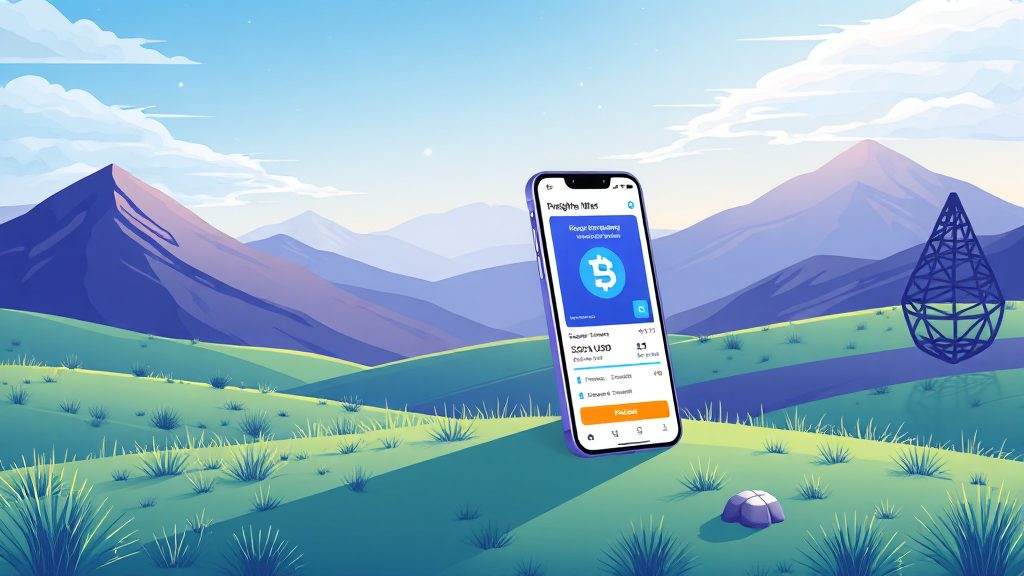
Freighter Wallet Freighter Wallet App: Your Complete Guide to Stellar’s Non-Custodial Wallet
In the rapidly evolving world of blockchain technology, managing digital assets securely and efficiently is paramount. For users of the Stellar network, one name stands out as a trusted and feature-rich solution: the freighter wallet freighter wallet app. This comprehensive guide explores everything you need to know about this powerful tool, from its core features to step-by-step instructions for getting started. Whether you are a seasoned cryptocurrency enthusiast or a newcomer to the Stellar ecosystem, understanding how to leverage this wallet can significantly enhance your experience.
What is the Freighter Wallet?
Freighter is a non-custodial wallet designed specifically for the Stellar blockchain. Unlike custodial wallets where a third party holds your private keys, Freighter gives you full control over your funds. This means that you, and only you, have access to your private keys and the ability to authorize transactions. The wallet is available as a browser extension for Chrome, Firefox, and Brave, and also as a mobile app for iOS and Android. Its primary mission is to provide a seamless bridge between users and Stellar-based applications, allowing you to interact with decentralized apps (dApps) directly from your browser or mobile device.
The wallet’s name, Freighter, evokes the idea of a cargo ship transporting valuable goods across the ocean. In the context of Stellar, it symbolizes the secure and efficient transfer of digital assets across the blockchain. It’s a fitting metaphor for a wallet that aims to be a reliable vessel for your cryptocurrency.
Why Choose Freighter for Your Stellar Assets?
There are several reasons why Freighter has become the go-to wallet for Stellar users. First and foremost, its non-custodial nature aligns with the core principles of blockchain: decentralization and user sovereignty. You don’t need to trust a central entity with your funds; instead, you rely on the security of your own device and the robustness of the Stellar network.
Secondly, Freighter is designed with user experience in mind. The interface is clean, intuitive, and accessible to both beginners and advanced users. Sending and receiving assets like USDC and XLM is straightforward, and the wallet provides clear transaction histories and balance updates in real time. Furthermore, Freighter supports a wide range of Stellar assets, including fungible tokens and NFTs, making it a versatile tool for anyone active on the network.
Key Features of the Freighter Wallet App
The freighter wallet freighter wallet app is packed with features that cater to the needs of modern crypto users. Here are some of the standout capabilities:
- Non-Custodial Security: Your private keys are stored encrypted on your device. Freighter never has access to them, ensuring that your funds remain under your control at all times.
- Seamless dApp Integration: The wallet acts as a bridge to the Stellar ecosystem. You can connect to various Stellar apps and services directly from the wallet interface, enabling you to trade, lend, borrow, and more without leaving your secure environment.
- Multi-Asset Support: Beyond XLM, Freighter supports any token issued on the Stellar network, including popular stablecoins like USDC. This makes it easy to manage a diverse portfolio of Stellar-based assets.
- Hardware Wallet Support: For added security, Freighter can be integrated with hardware wallets like Ledger. This allows you to keep your private keys on a physical device while still using the convenience of the Freighter interface.
- Cross-Platform Availability: Whether you prefer to manage your assets on your desktop or on the go, Freighter has you covered. The browser extension and mobile app sync seamlessly, providing a consistent experience across devices.
- Transaction Management: The wallet provides detailed transaction data, including fees, timestamps, and status. You can also set custom fees to prioritize transactions during network congestion.
- Account Management: Freighter allows you to create and manage multiple Stellar accounts within a single wallet, making it easy to separate personal and business funds or to organize different investment strategies.
How to Get Started with Freighter
Getting started with Freighter is a quick and straightforward process. Here’s a step-by-step guide to setting up your wallet:
- Download the Wallet: Visit the official Freighter website or your browser’s extension store (Chrome Web Store, Firefox Add-ons, etc.) to download the appropriate version for your device. For mobile users, the app is available on the Apple App Store and Google Play Store.
- Create a New Wallet: Once installed, open the Freighter extension or app and select “Create New Wallet.” You will be prompted to set a strong password. This password encrypts your wallet on your device, so make sure to choose something secure and memorable.
- Backup Your Recovery Phrase: Freighter will generate a 12-word recovery phrase (also known as a seed phrase). This phrase is the master key to your wallet. Write it down and store it in a safe, offline location. Never share it with anyone, and never enter it into any website or app other than Freighter itself.
- Verify Your Phrase: To ensure you’ve properly saved your recovery phrase, Freighter will ask you to confirm a few words in the correct order. This step is crucial for your security.
- Start Using Your Wallet: Once your wallet is created, you can start sending and receiving assets. To receive funds, simply share your public address (a string of characters starting with ‘G’). To send funds, enter the recipient’s address and the amount you wish to send.
Connecting to Stellar Apps with Freighter
One of the most powerful aspects of the freighter wallet freighter wallet app is its ability to connect to a wide array of Stellar-based applications. This functionality is similar to using MetaMask for Ethereum-based dApps. When you visit a Stellar app that supports Freighter, you’ll typically see a “Connect Wallet” button. Clicking it will prompt Freighter to ask for your permission to connect. Once connected, the app can read your public address and request transactions, which you can approve or reject directly from the Freighter interface.
This seamless integration opens up a world of possibilities. You can use Freighter to interact with decentralized exchanges (DEXs) built on Stellar, participate in token sales, manage NFTs, and even access lending protocols. The wallet acts as your identity and gateway to the Stellar ecosystem, making it an indispensable tool for anyone looking to explore the full potential of this blockchain.
Security Best Practices for Using Freighter
While Freighter is designed with security in mind, the safety of your funds ultimately depends on your own practices. Here are some essential tips to keep your assets secure:
- Never Share Your Recovery Phrase: Your recovery phrase is the only way to restore your wallet if you lose your device or forget your password. Anyone with access to this phrase can steal your funds. Store it offline, preferably in a secure physical location like a safe.
- Beware of Phishing Attacks: Always double-check the URL of any website before entering your wallet credentials or recovery phrase. Scammers often create fake websites that look like the official Freighter site to trick users into revealing sensitive information.
- Keep Your Software Updated: Regularly update the Freighter extension or app to ensure you have the latest security patches and features. Updates often include fixes for potential vulnerabilities.
- Use a Hardware Wallet for Large Holdings: If you hold a significant amount of cryptocurrency, consider integrating a hardware wallet like Ledger with Freighter. This adds an extra layer of security by keeping your private keys offline.
- Verify Transaction Details: Before confirming any transaction, carefully review the recipient address and the amount. Once a transaction is broadcast to the network, it cannot be reversed.
Frequently Asked Questions
Is Freighter Wallet free to use?
Yes, Freighter is completely free to download and use. There are no fees for creating a wallet or sending transactions. However, you will need to pay the Stellar network’s transaction fee, which is typically very low (a fraction of a lumen).
Can I use Freighter to store any cryptocurrency?
Freighter is specifically designed for the Stellar network. It supports XLM and any token issued on Stellar, such as USDC and other assets. It does not support Bitcoin, Ethereum, or other non-Stellar cryptocurrencies.
How do I restore my Freighter wallet on a new device?
To restore your wallet, download Freighter on the new device and select “Import Wallet.” You will be prompted to enter your 12-word recovery phrase. Once entered, your wallet will be restored, and you’ll regain access to your funds.
What should I do if I forget my Freighter password?
If you forget your password, you can reset it by using your recovery phrase. During the reset process, Freighter will ask you to enter your recovery phrase to verify your identity. After that, you can set a new password. It’s important to note that without your recovery phrase, there is no way to recover your wallet.
Can I connect Freighter to my Ledger hardware wallet?
Yes, Freighter supports integration with Ledger hardware wallets. This allows you to use your Ledger to sign transactions, providing an extra layer of security. To set this up, connect your Ledger to your computer, open the Stellar app on the Ledger, and then in Freighter, choose the option to connect a hardware wallet.
Conclusion
The freighter wallet freighter wallet app is more than just a wallet; it’s a comprehensive gateway to the Stellar ecosystem. Its non-custodial design, user-friendly interface, and robust feature set make it an excellent choice for anyone looking to manage Stellar assets securely and interact with the growing number of Stellar-based applications. By following the security best practices outlined in this guide, you can confidently explore the world of Stellar with Freighter as your trusted companion. Whether you’re sending payments, trading tokens, or diving into decentralized finance, Freighter provides the tools you need to navigate the blockchain with ease. Download it today and take control of your digital assets on the Stellar network.

Leave a Reply